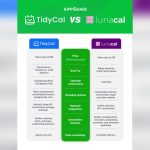
Choosing the right scheduling tool can transform how you manage your time and connect with clients. If you’re torn between TidyCal and Calendly, you’re not alone.
Both promise to simplify your bookings, but which one truly fits your needs? Whether you want seamless calendar syncing, easy payment collection, or full control over your availability, this comparison will help you decide. Ready to find out which tool makes scheduling effortless for you? Dive in, and discover why TidyCal might just be the game-changer you’ve been searching for.

Credit: zapier.com
Introduction To Tidycal And Calendly
Scheduling tools help manage appointments and meetings with ease. They save time and reduce the hassle of back-and-forth emails. Tidycal and Calendly are two popular options designed to simplify booking tasks.
Overview Of Scheduling Tools And Their Importance
Scheduling tools let users set up appointments quickly and clearly. They integrate with calendars to avoid double bookings. These tools offer features like:
- Customizable booking pages
- Automatic calendar syncing
- Time zone adjustments
- Payment collection options
- Buffer times between meetings
Using such tools reduces missed appointments and saves administrative work. They are essential for businesses and individuals who rely on appointments.
Purpose And Target Audience Of Tidycal
Tidycal focuses on small business owners and freelancers. It helps them manage bookings simply and affordably. Key purposes include:
- Streamlining booking processes
- Syncing calendars across platforms
- Customizing availability and booking pages
- Collecting payments during booking
Tidycal suits users needing flexible control over appointments. It offers unlimited booking events and advanced settings like buffer times and booking limits.
Purpose And Target Audience Of Calendly
Calendly serves professionals and teams of all sizes. It focuses on automating scheduling to improve efficiency. Main features include:
- Easy meeting scheduling with invitees
- Integration with many calendar services
- Group scheduling and round-robin options
- Automated reminders and follow-ups
Calendly works well for individuals, teams, and enterprises needing seamless coordination. It supports various meeting types and complex scheduling needs.
Key Features Of Tidycal
Tidycal offers a range of features designed to simplify scheduling for small-business owners. It helps users manage bookings, sync calendars, and accept payments without hassle. These features save time and reduce scheduling conflicts, making meeting management smooth and efficient.
Simplified Scheduling Interface For User Convenience
The interface is clean and easy to use. Users can create and manage appointments quickly. It reduces confusion and speeds up the booking process. Even beginners find it simple to navigate.
Customizable Booking Pages To Reflect Brand Identity
Tidycal lets users tailor booking pages to match their brand. Options include:
- Custom logos and colors
- Personalized booking types
- Control over displayed booking options
This flexibility helps maintain a professional and consistent look.
Integrated Payment Options To Streamline Transactions
Users can collect payments directly through Tidycal. It supports payment integration for sessions, making the process smooth for clients and providers. Payment setup is straightforward and secure.
Calendar Syncing Capabilities To Avoid Double Bookings
Tidycal connects with multiple calendar platforms. This syncing ensures no double bookings happen. Users see all events in one place and can adjust availability easily. It supports popular calendars for seamless integration.
Automated Notifications And Reminders For Reduced No-shows
Automated emails and reminders keep clients informed. They reduce missed appointments and improve attendance rates. Notifications can be customized to fit user needs.
Key Features Of Calendly
Calendly offers a range of features designed to simplify scheduling for individuals and teams. It provides tools that adapt to different needs and help manage appointments efficiently. These features improve productivity and reduce the hassle of back-and-forth emails.
Advanced Scheduling Rules For Flexible Availability
Calendly allows setting detailed rules to control availability. Users can:
- Set specific hours for meetings
- Limit the number of daily appointments
- Add buffer times between meetings to avoid overlap
- Prevent last-minute bookings with minimum notice settings
This flexibility helps users maintain a balanced schedule without stress.
Multi-user And Team Scheduling For Collaborative Needs
Calendly supports team scheduling with features like:
- Round-robin assignment to evenly distribute meetings
- Group events that allow multiple participants to join
- Shared calendars to view team availability at a glance
- Custom workflows for different team members
These options make team collaboration easier and reduce scheduling conflicts.
Robust Integration With Popular Apps And Services
Calendly connects smoothly with many apps, including:
| Category | Examples |
|---|---|
| Calendar Apps | Google Calendar, Outlook, iCloud |
| Video Conferencing | Zoom, Microsoft Teams, Google Meet |
| CRM and Marketing | Salesforce, HubSpot, Mailchimp |
Integrations keep workflows smooth by syncing data automatically.
Automated Workflows And Follow-up Sequences
Calendly automates tasks to save time:
- Sends confirmation emails immediately after booking
- Triggers reminders before meetings
- Follows up with thank-you messages or surveys
- Links appointments with CRM systems for record keeping
Automation reduces manual work and improves client experience.
Comprehensive Analytics To Track Scheduling Efficiency
Calendly offers detailed reports showing:
- Number of meetings scheduled
- Booking trends by day or time
- Team performance and individual activity
- Cancellation and rescheduling rates
These insights help optimize scheduling strategies and improve productivity.
Pricing And Affordability Comparison
Choosing the right scheduling tool depends heavily on cost and value. Both TidyCal and Calendly offer pricing plans designed for different needs. This section breaks down their pricing tiers, features, and affordability for various users. Understanding these options helps pick the best fit for your budget and requirements.
Tidycal’s Pricing Tiers And Value Proposition
TidyCal offers a simple and clear pricing structure focused on small business owners and freelancers. It provides:
- Free Plan: Basic booking features for individual users.
- Pro Plan: Priced affordably with unlimited booking events, calendar sync, and payment collection.
The Pro Plan includes advanced settings like buffer times, booking limits, and customizable booking pages. This plan is ideal for users wanting full control without high costs.
Calendly’s Pricing Plans And Feature Access
| Plan | Price (Monthly) | Key Features |
|---|---|---|
| Basic | Free | One event type, basic integrations |
| Essentials | $8 | Multiple event types, email reminders |
| Professional | $12 | Payments, custom notifications, integrations |
| Teams | $16 | Team scheduling, analytics, advanced integrations |
Calendly’s plans scale with features, suiting freelancers to larger teams. Each tier adds more integrations and customization.
Cost-effectiveness For Different User Types
- Freelancers & Solo Entrepreneurs: TidyCal’s Pro Plan provides great value with unlimited bookings.
- Small Teams: Calendly’s Teams plan offers advanced team scheduling features.
- Basic Users: Both offer free plans, but TidyCal’s free tier is more generous in booking options.
Overall, TidyCal suits budget-conscious users needing robust features. Calendly fits users requiring broader integrations and team management.
Trial Options And Money-back Guarantees
- TidyCal offers a free plan with no time limit, allowing full exploration of basic and pro features.
- Calendly provides a free Basic plan and a 14-day free trial for paid plans.
- Both platforms allow users to test core features before purchasing.
- Money-back guarantees vary; users should check current policies on official sites.
Pros And Cons Based On Real-world Usage
Choosing the right scheduling tool depends on real-world experiences. Both TidyCal and Calendly offer useful features but differ in strengths and weaknesses. This section highlights practical advantages and challenges users face daily. Clear insights help pick the best fit for unique scheduling needs.
Advantages Of Using Tidycal In Daily Scheduling
- Simple Setup: Easy to create and customize booking pages.
- Unlimited Booking Events: Manage many event types without extra cost.
- Calendar Sync: Integrates with popular calendars for smooth scheduling.
- Payment Collection: Accept payments directly through booking pages.
- Custom Availability: Set default hours, buffer times, and booking limits.
- Cost Effective: Great value for small businesses with essential features.
TidyCal suits entrepreneurs who want a straightforward, budget-friendly scheduling tool. Its clear interface reduces confusion and saves time.
Limitations And Challenges With Tidycal
- Fewer Integrations: Limited third-party apps compared to competitors.
- Basic Features: Lacks advanced automation and team scheduling options.
- Interface Simplicity: Not ideal for complex scheduling needs.
- Mobile Experience: Some users report limited mobile app functionality.
Users needing more complex workflows or extensive app connections might find TidyCal less flexible. Some report missing features for team coordination.
Strengths Of Calendly In Diverse Scheduling Scenarios
- Robust Integrations: Connects with many apps like Zoom, Salesforce, and Slack.
- Team Scheduling: Supports round-robin, collective, and group events.
- Automation: Advanced reminders, follow-ups, and calendar management.
- User-Friendly: Clean, intuitive interface for various user levels.
- Custom Workflows: Allows complex scheduling rules and workflows.
Calendly fits teams and professionals needing reliable automation and broad app support. It handles complex booking needs efficiently.
Potential Drawbacks And User Complaints About Calendly
- Pricey Plans: Full features come with higher subscription costs.
- Limited Free Version: Basic tier restricts key features and event types.
- Overwhelming for Beginners: Some find advanced settings confusing.
- Occasional Sync Issues: Rare but reported calendar syncing delays.
Users on tight budgets may find Calendly expensive. Beginners might struggle with its many options and settings.

Credit: www.youtube.com
Ideal Users And Use Case Recommendations
Choosing the right scheduling tool depends on your specific needs and work style. Both TidyCal and Calendly offer valuable features, but their strengths serve different users better.
Who Should Choose Tidycal For Scheduling Success
TidyCal is perfect for small business owners and freelancers who want a simple, cost-effective scheduling solution.
- Easy calendar syncing across platforms keeps all appointments in one place.
- Customizable booking pages help create a professional look with minimal effort.
- Ability to set buffer times and booking limits prevents overbooking.
- Supports payment collection directly through the booking system, ideal for paid sessions.
- Unlimited booking events allow flexibility for various services or meeting types.
This tool fits users who want straightforward scheduling without unnecessary complexity.
Scenarios Where Calendly Excels
Calendly suits users needing advanced integrations and automation features.
- Works well for teams requiring collaboration and round-robin scheduling.
- Offers deeper integration with CRM and marketing tools.
- Supports complex workflows with automated reminders and follow-ups.
- Great for businesses that handle high volumes of meetings or multiple event types.
- Includes robust reporting and analytics for performance tracking.
Calendly fits users with larger teams or detailed scheduling needs.
Comparative Summary To Help Users Decide
| Feature | TidyCal | Calendly |
|---|---|---|
| Best For | Small businesses, freelancers | Teams, large businesses |
| Customization | Booking page and availability | Advanced workflows and branding |
| Payment Integration | Built-in payment collection | Available via integrations |
| Calendar Sync | Multiple platform sync | Extensive calendar support |
| Automation | Basic buffer and limits | Automated reminders and workflows |
| Pricing | Affordable, simple plans | Higher cost, feature-rich plans |
Tips For Maximizing Scheduling Efficiency With Either Tool
- Set clear availability: Define your working hours to avoid conflicts.
- Use buffer times: Add breaks between meetings to stay refreshed.
- Customize booking pages: Add personal or brand details for a professional touch.
- Sync calendars: Connect all your calendars to prevent double bookings.
- Enable notifications: Use email or SMS alerts to reduce no-shows.
- Leverage payment options: Collect fees upfront to secure appointments.
Applying these steps ensures smoother scheduling and happier clients.
Conclusion: Making The Right Scheduling Tool Choice
Choosing the best scheduling tool affects your daily workflow and client interactions. Both TidyCal and Calendly offer strong features to simplify booking. Understanding their differences helps pick the right fit for your needs.
Recap Of Key Differences And Benefits
| Feature | TidyCal | Calendly |
|---|---|---|
| Pricing | Affordable, budget-friendly plans | Higher price tiers, more enterprise options |
| Customization | Custom booking pages and availability | Strong branding, advanced workflows |
| Calendar Sync | Syncs multiple calendars easily | Syncs with many calendar platforms |
| Payment Collection | Integrated payment options for sessions | Payment features available on higher plans |
| Booking Limits & Buffer Time | Advanced settings for control | Similar advanced scheduling controls |
| Event Types | Unlimited booking event creation | Variety of event types with customization |
Final Thoughts On Choosing Between Tidycal And Calendly
TidyCal suits small business owners needing simple, cost-effective scheduling. It focuses on ease with essential features like calendar sync and payment collection.
Calendly fits users requiring complex workflows and team scheduling. It offers advanced customization and integrations for larger teams or enterprises.
Consider your budget, required features, and team size. Choose what aligns with your business style and client demands.
Encouragement To Test And Customize Scheduling Solutions
Try both tools with free trials or demos. Test features like booking pages and calendar sync.
Adjust settings such as buffer times and booking limits to fit your needs. Customize booking types and payment options.
This hands-on approach ensures a scheduling tool that matches your work style and client expectations perfectly.

Credit: affdigital-review.com
Frequently Asked Questions
What Are The Main Differences Between Tidycal And Calendly?
Tidycal offers simpler pricing and fewer integrations. Calendly provides advanced features, more integrations, and a polished interface. Both support scheduling, but Calendly suits larger teams, while Tidycal targets freelancers and small businesses.
Which Is More Affordable, Tidycal Or Calendly?
Tidycal is generally more affordable with straightforward pricing. Calendly has a free tier but its premium plans are costlier. Choose based on your feature needs and budget constraints for the best value.
Can Tidycal And Calendly Integrate With Other Apps?
Calendly integrates with many apps like Zoom, Google Calendar, and Salesforce. Tidycal has limited integrations but covers essential calendars and payment gateways. Integration needs depend on your workflow complexity.
Which Tool Offers Better User Experience And Interface?
Calendly features a sleek, intuitive interface suitable for teams and professionals. Tidycal has a simple, minimalist design focused on ease of use. User preference depends on required features and design simplicity.
Conclusion
Choosing between TidyCal and Calendly depends on your needs. TidyCal offers simple booking with calendar sync and payment options. It suits small business owners who want easy scheduling and control. Calendly is popular but can be pricier for similar features. TidyCal’s customizable pages and unlimited events give flexibility. Explore TidyCal’s features and see if it fits your workflow. For a straightforward, affordable scheduling tool, consider TidyCal. Take time to pick the tool that saves you time and hassle.