Looking for a way to manage all your tasks, files, videocalls, chats, docs, and stories without jumping between endless apps? Edworking might be just what you need.
Imagine having everything you need to work together, all in one place—saving you time, reducing stress, and boosting your productivity. Curious how it works and what features can make your daily workflow smoother? Keep reading for a detailed Edworking Features Overview that will show you how this tool can transform the way you work.
Credit: edworking.com
Introduction To Edworking And Its Purpose
Edworking is designed to bring all your tasks, files, videocalls, chats, docs, and stories into one place. It helps teams and individuals work together smoothly without switching apps. The platform focuses on simplifying work and learning by combining essential tools in a single hub.
This approach saves time and reduces confusion. Users can manage projects, communicate, and share resources easily. Edworking aims to boost productivity whether you are working remotely, studying, or collaborating in a team.
What Is Edworking? An Overview
Edworking is a platform that integrates multiple work tools. It includes:
- Task management
- File storage and sharing
- Video calls and chats
- Document creation and collaboration
- Story and note keeping
This all-in-one design removes the need for many separate apps. Users stay organized and focused in one place. It suits businesses, educators, and learners.
How Edworking Enhances Productivity In Work And Learning
Edworking improves productivity by:
- Centralizing communication: Chats and video calls happen within the same platform.
- Simplifying task tracking: Tasks are easy to assign and monitor.
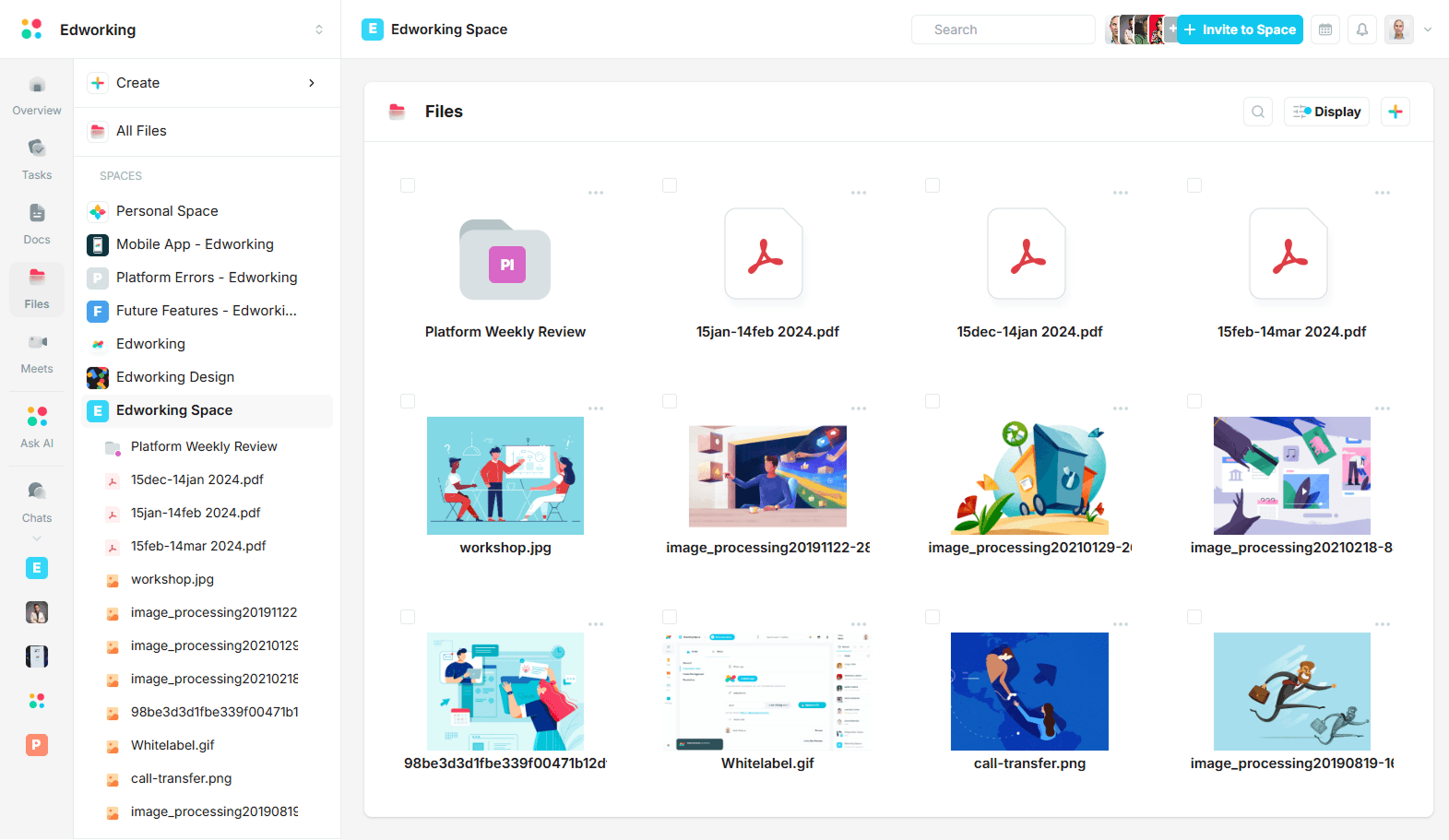
- Streamlining file access: Files and documents are stored together and easy to find.
- Encouraging collaboration: Multiple users can edit docs and share ideas instantly.
These features reduce time wasted switching apps or searching for information. Edworking keeps users focused and connected, helping them finish work and study tasks faster.
Key Features That Make Edworking Unique
Edworking combines essential tools to keep your work organized and efficient. It brings tasks, files, calls, chats, and documents into one platform. This integration helps teams stay focused and productive without switching apps.
The platform offers features designed to simplify your workflow and improve communication. Each tool in Edworking supports your daily tasks and learning, making collaboration smooth and growth continuous.
Smart Task Management: Streamlining Your Workflow
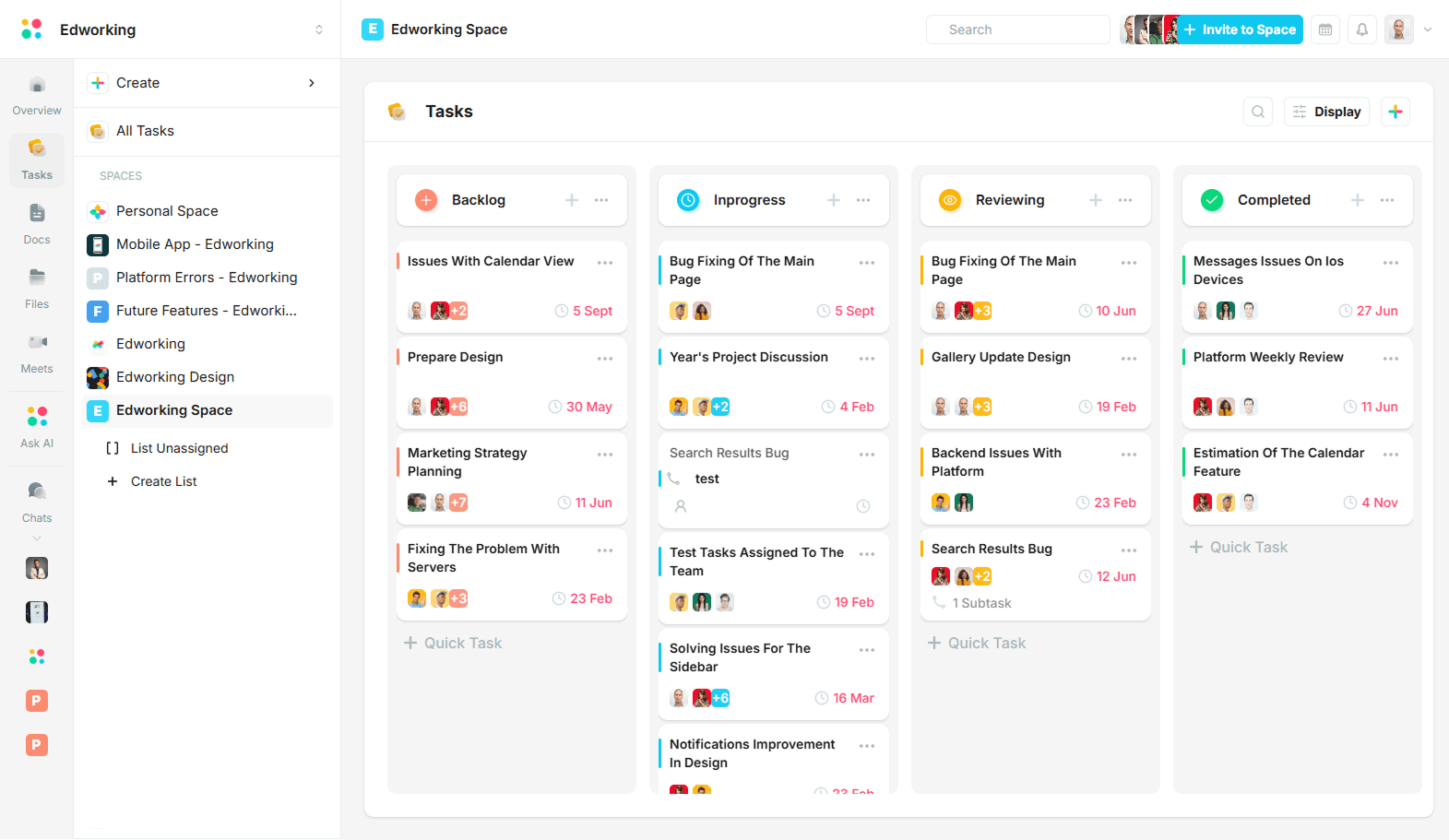
Edworking’s task management system helps you organize work clearly. You can:
- Create, assign, and track tasks easily
- Set deadlines and priorities to stay on schedule
- View tasks in lists or boards for better clarity
This feature reduces confusion and keeps everyone aware of their responsibilities.
Real-time Collaboration Tools: Enhancing Team Communication
Teams work better with real-time chat and video calls in Edworking. Features include:
- Instant messaging to share quick updates
- Video calls directly in the platform for face-to-face talks
- File sharing inside chats for easy access
This setup lowers delays and keeps conversations in one place.
Integrated Learning Resources: Supporting Continuous Growth
Edworking supports personal growth with built-in learning tools:
- Access to tutorials and guides inside the platform
- Resources linked to your tasks and projects
- Opportunities to develop new skills while working
Learning is part of the daily workflow, making progress steady and practical.
Customizable Dashboards: Personalizing Your Productivity Experience
Users can tailor dashboards to fit their needs. This feature allows you to:
- Choose widgets that show relevant data
- Arrange task lists, messages, and files your way
- Focus on what matters most each day
Customization makes it easier to find information fast and stay organized.
Ai-powered Insights: Making Data-driven Decisions Effortlessly
Edworking uses AI to provide useful insights. It helps you:
- Analyze team performance and task progress
- Identify bottlenecks and areas for improvement
- Get suggestions to improve workflow efficiency
These insights support smarter decisions without extra effort.
Pricing And Affordability Breakdown
Edworking offers flexible pricing plans designed to fit different needs and budgets. Understanding these plans helps users choose the best option for their work style and team size. This section breaks down the costs and benefits clearly.
Subscription Plans: Comparing Features And Costs
| Plan | Monthly Cost | Key Features |
|---|---|---|
| Free | $0 |
|
| Pro | $12 |
|
| Business | $30 |
|
Value For Money: Assessing Roi For Different User Types
Freelancers benefit from the Free and Pro plans. They get essential tools without overspending.
Small teams find the Pro plan cost-effective. It supports collaboration and communication well.
Large businesses gain the most from the Business plan. Its advanced features boost productivity and workflow.
- All plans centralize work in one platform.
- Reduced tool switching saves time and money.
- Improved team coordination increases output quality.
Free Trial And Discounts: Exploring Cost-saving Opportunities
Edworking offers a free trial for the Pro plan. Users can test key features before buying.
Discounts are available for yearly subscriptions, saving up to 20%.
Special offers for startups and educational users may apply.
- Try the Pro plan free for 14 days.
- Pay yearly to save more money.
- Check for seasonal promotions on the official site.

Credit: muzakkirbd.com
Pros And Cons Based On Real-world Usage
Edworking combines many tools into a single platform, making team collaboration easier. Users share honest feedback about what works well and what needs improvement. This section highlights key advantages and limitations based on actual experience. It helps understand how Edworking performs in daily tasks and teamwork.
Advantages: What Users Appreciate Most About Edworking
- All-in-One Workspace: Users like having tasks, files, video calls, chats, and docs in one place.
- Improved Team Collaboration: Real-time communication and shared documents boost productivity.
- Easy Task Management: Clear task lists and deadlines help teams stay organized and on track.
- Integrated Video Calls: Seamless video conferencing without switching apps is a big plus.
- Centralized File Storage: Accessing and sharing files within the platform saves time and reduces confusion.
- User-friendly Interface: Simple design makes it easy for beginners to start using quickly.
Limitations: Challenges And Areas For Improvement
- Performance Issues: Some users report slow loading times when handling many files or tasks.
- Limited Customization: Few options to personalize workflows or interface layout.
- Mobile App Constraints: The mobile experience lacks some features compared to desktop.
- Notification Overload: Notifications can become distracting without better filtering controls.
- Learning Curve: New users may need time to understand all features fully.
- Integration Gaps: Limited connection with certain third-party tools used by teams.
Specific Recommendations For Ideal Users And Scenarios
Edworking serves diverse users with its all-in-one platform. It combines tasks, files, videocalls, chats, docs, and stories in one place. This section guides who benefits most from Edworking and in which situations it excels.
Best For Remote Teams: Maximizing Collaboration Anywhere
Remote teams need seamless communication and task management. Edworking offers:
- Unified workspace for chats, videocalls, and file sharing
- Real-time collaboration on docs and stories
- Task tracking with clear deadlines
The integrated platform keeps everyone on the same page. Teams can reduce app-switching and focus more on work. Edworking works well across devices, making remote work flexible and efficient.
Ideal For Students And Educators: Boosting Learning Efficiency
Students and educators benefit from Edworking’s organized environment. Key features include:
- Centralized notes, assignments, and study materials
- Group chats and videocalls for study sessions
- Easy sharing of documents and project updates
Edworking helps keep learning materials and communication tidy. It supports both individual study and group projects. This creates a smooth experience for teachers and learners.
Suitability For Freelancers And Solopreneurs: Managing Multiple Projects
Freelancers juggle many tasks and clients. Edworking assists by:
- Organizing projects with task lists and timelines
- Storing client files and communications in one place
- Scheduling videocalls without extra tools
This platform reduces chaos and boosts productivity. Freelancers can track progress and meet deadlines easily. Edworking keeps everything simple and accessible.
When To Choose Edworking Over Competitors
| Scenario | Why Edworking | Competitor Limitations |
|---|---|---|
| Need for all-in-one platform | Combines chat, tasks, calls, and docs in one place | Most tools focus on only one or two features |
| Remote collaboration | Real-time updates and integrated videocalls | Other apps require multiple integrations |
| Flexible for various users | Supports teams, students, freelancers alike | Many platforms target only business or education |
| Simple interface | Easy to use with no steep learning curve | Some competitors have complex interfaces |
Choose Edworking when a simple, unified tool is needed. It fits users who want less hassle and more focus.
Credit: edworking.com
Frequently Asked Questions
What Are The Key Features Of Edworking Platform?
Edworking offers task management, team collaboration, time tracking, and seamless communication. It boosts productivity with intuitive tools and real-time updates.
How Does Edworking Improve Team Collaboration?
Edworking centralizes chats, file sharing, and project updates in one place. It ensures everyone stays aligned and work progresses smoothly.
Can Edworking Track Work Hours Efficiently?
Yes, Edworking includes built-in time tracking. It helps monitor work hours, manage deadlines, and improve project time management.
Is Edworking Suitable For Remote Teams?
Absolutely. Edworking supports remote work with cloud access, real-time collaboration, and flexible task management from any location.
Conclusion
Edworking brings all your work tools into one place. Manage tasks, files, video calls, chats, and documents easily. It helps teams stay connected and organized every day. No need to switch apps or lose time. Simple and clear for better teamwork. Explore how Edworking can fit your work style. Try it now and see the difference. Learn more about Edworking here: Edworking.