Looking for a smarter way to manage your tasks and data without the hassle? Stackby Workflow Automation puts the power in your hands to simplify your daily grind.
Imagine building custom databases and automating repetitive work—all without needing to be a tech expert. With Stackby, you can save time, reduce errors, and focus on what truly matters. Ready to transform how you work? Discover how Stackby Workflow Automation can make your life easier and boost your productivity. Keep reading to unlock the full potential of this intuitive platform.
Introduction To Stackby Workflow Automation
Stackby Workflow Automation helps teams manage data and automate tasks easily. It combines spreadsheets, databases, and APIs in one platform. Users create custom workflows without coding skills. This saves time and reduces errors.
Overview Of Stackby And Its Core Purpose
Stackby is a flexible platform for organizing and automating data tasks. It blends the simplicity of spreadsheets with the power of databases.
- Create and customize tables to fit your needs.
- Connect with popular apps through API integrations.
- Build workflows that automate repetitive tasks.
- Collaborate with team members in real time.
The core purpose of Stackby is to make data management simple and efficient. It removes the need for complex coding. This allows people with any skill level to automate work.
How Workflow Automation Enhances Productivity
Automation speeds up daily work by handling repetitive tasks. Stackby’s automation triggers actions based on changes in data or time schedules.
| Benefit | Description |
|---|---|
| Time Saving | Automates manual tasks like data entry and updates. |
| Error Reduction | Minimizes human mistakes by using rules and triggers. |
| Better Focus | Frees users to focus on creative and strategic work. |
| Consistency | Ensures tasks follow the same steps every time. |
Using Stackby’s automation, teams can manage projects faster. Workflows run smoothly without constant supervision. This improves overall team productivity and accuracy.
Key Features Of Stackby Workflow Automation
Stackby Workflow Automation offers a range of powerful features to simplify data management and automate tasks. It helps users create custom workflows without needing advanced technical skills. These features make processes faster, reduce errors, and improve team collaboration.
Customizable Automation Recipes For Tailored Workflows
Stackby provides customizable automation recipes that let users design workflows to fit their specific needs. Users can select triggers and actions to automate repetitive tasks. These recipes can be adjusted anytime to match changing requirements.
- Create automations for data entry, updates, or notifications
- Modify recipes easily with drag-and-drop options
- Save time by reducing manual work
Integration With Popular Apps And Services
Stackby connects smoothly with many popular apps and services. This integration allows data to flow between tools without manual input. Users can link Stackby to apps like Google Sheets, Slack, and more.
| App/Service | Purpose |
|---|---|
| Google Sheets | Sync data and update spreadsheets automatically |
| Slack | Send real-time alerts and messages |
| Zapier | Connect with 2000+ other apps |
Real-time Notifications And Alerts
Stackby sends real-time notifications to keep users informed. Alerts notify teams about updates, deadlines, or errors immediately. This feature helps teams respond quickly and stay on track.
- Receive notifications via email or app
- Set alerts for important changes or deadlines
- Customize alert preferences for each workflow
Visual Workflow Builder For Easy Automation Setup
The visual workflow builder uses a simple drag-and-drop interface. Users can build automations without coding. This tool shows the workflow clearly, making setup fast and error-free.
- Drag elements to design the process
- Connect triggers and actions visually
- Test workflows before activating
Conditional Logic To Streamline Complex Processes
Stackby supports conditional logic to handle complex workflows. Users can set rules that trigger different actions based on data conditions. This feature reduces manual checks and speeds up decision-making.
- Use “if-then” rules to control automation flow
- Automate different outcomes based on criteria
- Manage multi-step processes with ease
Benefits Of Using Stackby Workflow Automation
Stackby Workflow Automation simplifies daily tasks by reducing manual work. It helps teams work faster and smarter. Automation in Stackby improves accuracy and keeps data organized. This boosts productivity and makes teamwork easier. The platform is designed for users without advanced technical skills. It lets you create customized workflows quickly and efficiently.
Saving Time By Reducing Manual Tasks
Stackby automates repetitive tasks, freeing up valuable time. No more copying and pasting data between sheets. Automated triggers and actions handle routine work instantly. This means less waiting and fewer bottlenecks in projects.
- Auto-updates across databases
- Instant notifications for task changes
- Scheduled data syncing
Teams focus on important tasks instead of manual updates. This speeds up project delivery and reduces stress.
Minimizing Errors Through Automated Processes
Manual data entry often causes mistakes. Stackby’s automation reduces these errors significantly. Data flows automatically between tables and apps, cutting down human error. Automation rules check for inconsistencies and alert users immediately.
- Consistent data updates
- Automatic validation checks
- Real-time error notifications
Accurate data improves decision-making and reporting quality.
Improving Team Collaboration And Communication
Stackby connects team members through shared, live databases. Everyone accesses the same up-to-date information anytime. Automated reminders and alerts keep everyone aligned on deadlines and tasks.
- Real-time data sharing
- Task assignment and tracking
- Custom notifications for updates
Clear communication reduces misunderstandings and speeds up teamwork.
Enhancing Data Management And Reporting Accuracy
Stackby organizes data into customizable databases with automation. Reports generate automatically with accurate, current information. This saves time and ensures reliable insights.
| Feature | Benefit |
|---|---|
| Customizable tables and views | Fits unique project needs |
| Automated report generation | Delivers fast, accurate results |
| Data syncing across apps | Keeps information consistent |
Reliable data helps teams track progress and plan better.
Pricing And Affordability Breakdown
Stackby offers flexible pricing plans designed to fit different team sizes and project needs. Understanding these plans helps users choose the best option for their workflow automation and data management.
The pricing focuses on providing value through essential features without overwhelming costs. Users can scale their usage as their needs grow.
Overview Of Available Plans And Features
| Plan | Price (Monthly) | Key Features |
|---|---|---|
| Free | $0 |
|
| Starter | $5 per user |
|
| Pro | $10 per user |
|
Cost-effectiveness Compared To Competitors
Stackby offers competitive prices with strong features. Its plans include many automation and integration options at lower costs.
Compared to similar platforms, Stackby provides more rows and users in basic plans. This suits growing small and medium teams well.
The flexibility to mix database and automation tools in one platform lowers the need for extra software.
Free Trial And Value For Small Teams
The free plan allows small teams to test key features without cost. It supports up to two users and basic automation tasks.
This trial period helps teams understand Stackby’s ease of use and functionality before upgrading.
Small teams benefit from affordable Starter plans, scaling features as their workflow expands.
Stackby’s pricing supports gradual growth, keeping costs manageable for businesses in early stages.
Pros And Cons Based On Real-world Usage
Stackby Workflow Automation offers a user-friendly way to organize data and automate tasks. Users share varied experiences that reveal its strengths and challenges. Understanding these helps in making informed decisions about using Stackby for business or personal projects.
Strengths Highlighted By Users
- Easy to Use Interface: Many users appreciate Stackby’s clean and simple design. It allows quick setup without technical skills.
- Customizable Databases: Users like the ability to build databases tailored to specific needs. It supports various data types and views.
- Powerful Automation: Automations save time by linking apps and processes smoothly. Users report fewer manual tasks.
- Integration Options: Stackby connects with popular tools like Google Sheets and Slack. This helps in centralizing workflows.
- Collaboration Features: Teams find it easy to work together on projects with real-time updates and shared access.
Common Challenges And Limitations
- Learning Curve for Advanced Features: Some users find automations complex at first and need time to master them.
- Limited Mobile Experience: The mobile app lacks some desktop features, reducing productivity on the go.
- Pricing Constraints: Free plans have limited rows and automation runs, which can restrict larger projects.
- Occasional Performance Issues: A few users experience slow loading times with big databases.
- Automation Limits: Certain workflows require manual intervention or external tools for full automation.
Customer Support And Community Feedback
Stackby’s customer support is generally responsive and helpful. Users report timely solutions to technical problems and setup questions.
The community is active in forums and social media groups. Members share templates, tips, and custom automation scripts.
This peer support helps new users learn faster and improve their workflows.

Credit: www.youtube.com
Ideal Users And Use Cases For Stackby Workflow Automation
Stackby Workflow Automation fits a variety of users and tasks. It helps people manage data and automate routine work easily. Its user-friendly design suits those without deep technical skills.
The tool is perfect for small to medium businesses, teams handling complex projects, and freelancers or remote workers aiming for smoother work processes. Let’s explore who benefits most from Stackby and how.
Small To Medium Businesses Seeking Efficiency
Small and medium businesses (SMBs) often face time and resource limits. Stackby helps by:
- Automating data entry and updates, cutting manual work.
- Centralizing information to avoid scattered files and emails.
- Creating custom workflows that fit their unique operations.
These features reduce errors and save hours daily. Businesses can focus more on growth and less on repetitive tasks.
Teams Managing Complex Projects And Data
Teams working on detailed projects deal with many moving parts. Stackby helps by:
- Organizing large datasets for easy access and updates.
- Tracking project milestones with automated reminders and notifications.
- Collaborating in real-time to keep everyone on the same page.
Stackby’s flexible tables and automation allow teams to handle complexity without confusion.
Freelancers And Remote Workers Needing Streamlined Processes
Freelancers and remote workers benefit from Stackby’s simple automation. It helps by:
- Managing client data and deadlines effortlessly.
- Automating billing and task tracking to stay organized.
- Integrating with other tools to reduce app switching.
This leads to clear workflows and less time spent on admin tasks.
Conclusion And Final Recommendations
Stackby Workflow Automation offers a simple way to organize data and automate tasks. Its user-friendly design helps teams save time and reduce errors. This section highlights the main benefits, who should use it, and how to start.
Summary Of Key Advantages
- Easy to Use: No need for coding skills to build workflows or databases.
- Customizable: Adapt tables and automations to fit different project needs.
- Time Saver: Automates repetitive tasks to free up team members for more important work.
- Collaboration: Multiple users can work together in real time.
- Integration: Connects with popular apps for seamless data flow.
- Visual Interface: Uses spreadsheets and columns that are easy to understand.
Who Should Consider Adopting Stackby Workflow Automation
Teams and individuals who handle data regularly benefit most from Stackby.
- Small businesses needing simple project management tools.
- Marketing teams tracking campaigns and results.
- Product managers organizing product data and feedback.
- Freelancers managing client information and deadlines.
- Anyone wanting to reduce manual data entry and errors.
Next Steps For Getting Started
- Visit the Stackby product page.
- Create a free account to explore templates and features.
- Choose a template or build a database from scratch.
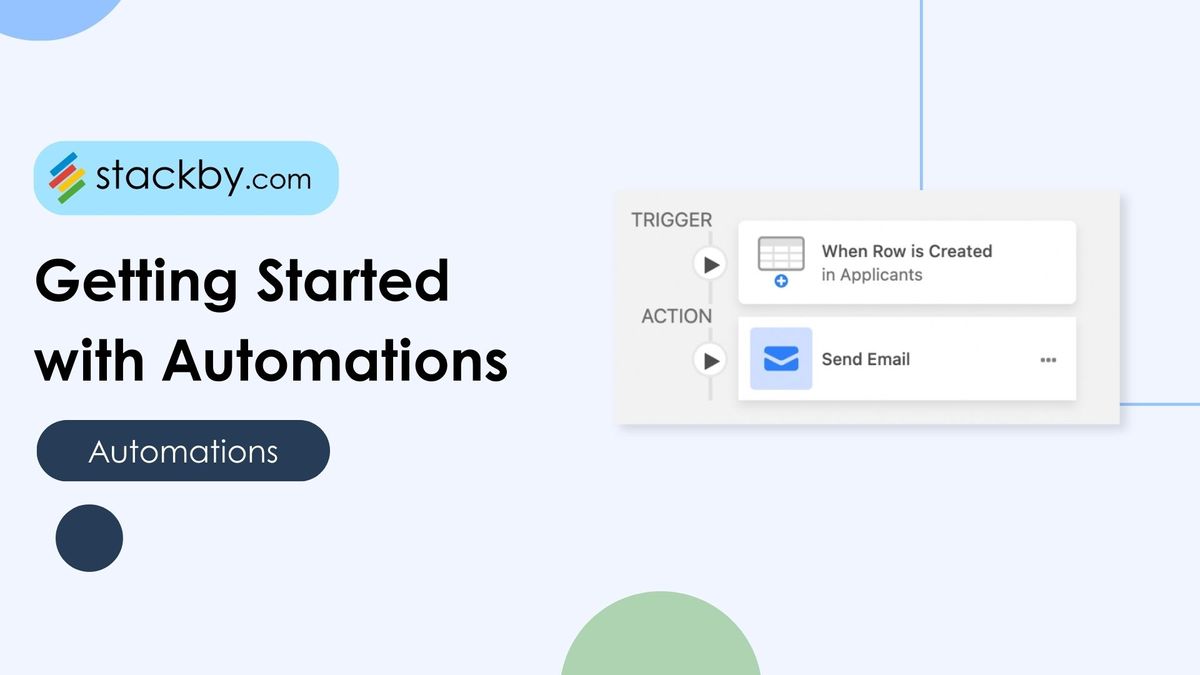
- Set up automations by linking triggers and actions without coding.
- Invite team members to collaborate on your project.
- Test your workflow to ensure everything runs smoothly.
Stackby simplifies data management and task automation for non-technical users. It helps teams focus on what matters most.
Credit: stackby.com

Credit: www.zefi.ai
Frequently Asked Questions
What Is Stackby Workflow Automation?
Stackby workflow automation enables users to automate repetitive tasks within their spreadsheets. It connects Stackby with other apps using customizable triggers and actions. This streamlines processes, saves time, and increases productivity by reducing manual work. It’s ideal for managing projects, data, and team collaboration efficiently.
How Does Stackby Improve Team Collaboration?
Stackby automates task assignments, notifications, and data updates, keeping teams aligned. Automated workflows ensure everyone stays informed in real time. This reduces communication gaps and speeds up project completion. It integrates easily with communication tools for seamless collaboration and enhanced teamwork.
Can Stackby Integrate With Other Apps For Automation?
Yes, Stackby integrates with popular apps like Slack, Gmail, and Google Sheets. These integrations enable automated data syncing, notifications, and task management. Users can create custom workflows tailored to their needs. This flexibility enhances productivity by connecting multiple tools in one platform.
Is Coding Required For Stackby Automation Setup?
No coding skills are needed to set up Stackby automation. The platform offers a user-friendly interface with drag-and-drop features. Users can create workflows by selecting triggers and actions visually. This makes automation accessible to non-technical users, saving time and effort.
Conclusion
Stackby helps simplify your work by automating tasks easily. It lets you organize data and build workflows fast. No need for coding or tech skills. This makes managing projects less stressful and more efficient. You can focus on what really matters. Try Stackby today to see how it fits your needs. Learn more about Stackby here: https://glinthive.com/stackby.