Looking for reliable and easy-to-use alternatives to aaPanel? If managing your own server or website feels complicated, you’re not alone.
You want a control panel that makes your life simpler, not more stressful. Whether you’re a beginner or a seasoned pro, finding the right tool can save you hours and headaches. You’ll discover top aaPanel alternatives that deliver powerful features, smooth performance, and user-friendly interfaces. Ready to upgrade your hosting management experience? Let’s dive in and find the perfect match for your needs. If you want to check out aaPanel itself, here’s a direct link: aaPanel.
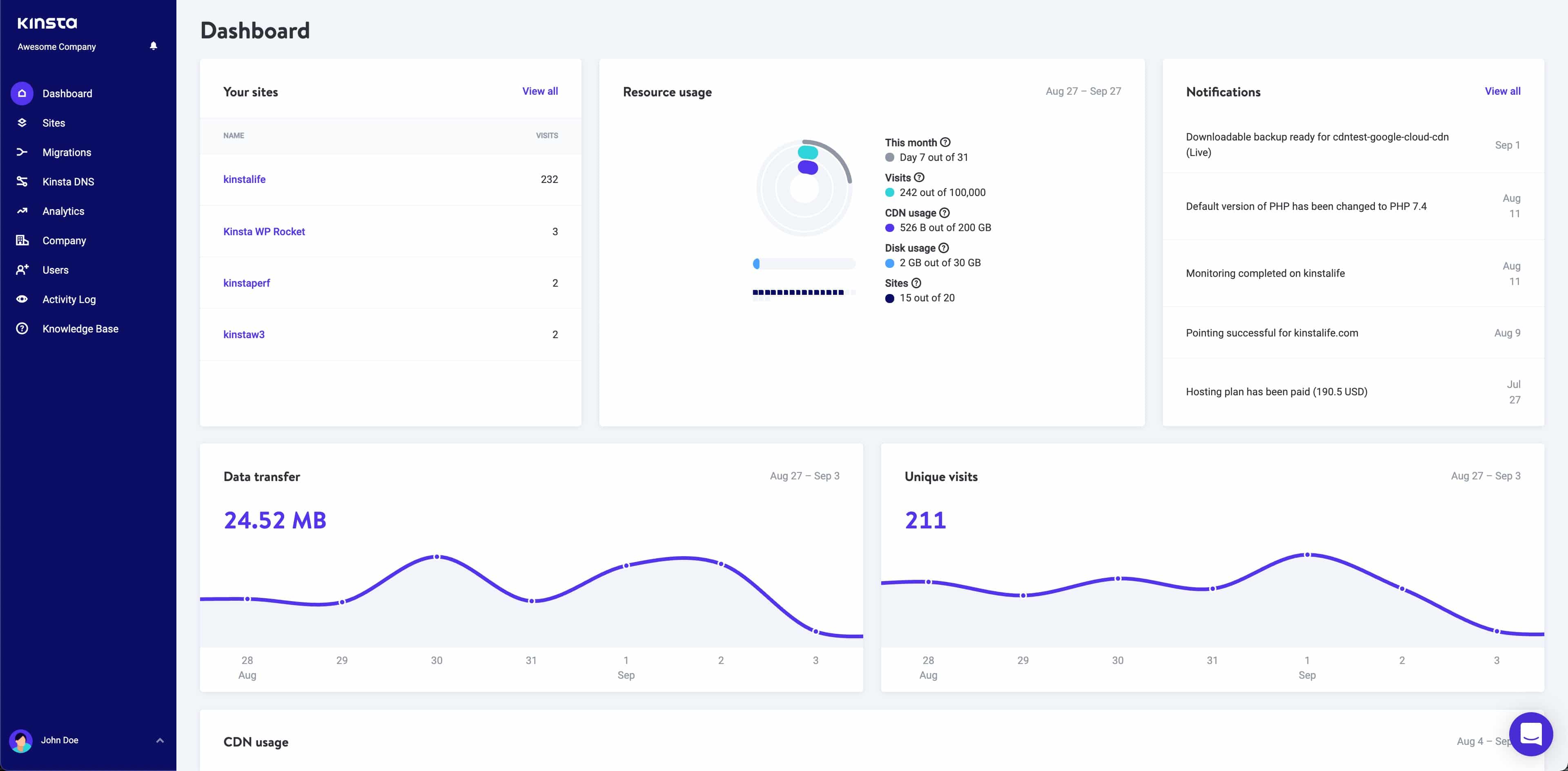
Credit: kinsta.com
Introduction To Control Panels And The Need For Aapanel Alternatives
Control panels simplify the management of web hosting servers. They offer a graphical interface to handle server tasks without complex commands. aaPanel is a popular choice for many users due to its ease of use and rich features. Still, some users seek alternatives to better fit their specific needs or preferences.
Exploring other control panels can provide options with different strengths, security levels, or pricing models. This section explains why alternatives to aaPanel matter in 2025 and what to consider when choosing a new control panel.
Overview Of Aapanel And Its Popularity In Web Hosting Management
aaPanel is a free, open-source control panel designed for server and website management. It offers a clean interface and supports popular web servers like Nginx and Apache.
- Easy installation and setup process
- One-click app installations
- Comprehensive monitoring tools
- Strong community support
Its popularity comes from being user-friendly and efficient for managing Linux-based servers. Many beginners and small businesses prefer aaPanel for these reasons.
Why Consider Alternatives To Aapanel In 2025?
Technology changes fast. Control panels must keep up with new security threats and server technologies. Some reasons to seek alternatives include:
- Security Enhancements: Some users want more frequent updates or advanced security features.
- Feature Requirements: Different control panels may offer unique tools, plugins, or integrations.
- Performance Needs: Certain panels optimize resource use better for high-traffic sites.
- Cost and Licensing: Users may prefer panels with different pricing or open-source models.
- Support and Community: Access to active support or larger communities can be a deciding factor.
Key Factors To Look For In A Web Hosting Control Panel
Choosing the right control panel requires attention to several key factors:
| Factor | Description | Why It Matters |
|---|---|---|
| Ease of Use | Simple interface and navigation | Reduces learning time and errors |
| Security Features | Built-in firewalls, SSL support, regular updates | Protects websites and data from attacks |
| Compatibility | Supports various web servers, databases, and OS | Ensures flexibility and future growth |
| Performance | Efficient resource use and fast response | Improves website speed and reliability |
| Support & Community | Access to help and active user forums | Facilitates problem-solving and learning |
| Cost | Free, subscription, or one-time payment models | Fits budget constraints and value needs |
Choosing a control panel with these factors in mind leads to better server management and a smoother hosting experience.
Top 7 Powerful Control Panels For 2025
Managing servers and websites requires reliable control panels. These tools simplify hosting tasks, boost productivity, and improve security. For 2025, several control panels stand out. They offer strong features, easy use, and high performance. Here are the top 7 powerful control panels to consider as Aapanel alternatives.
Control Panel 1: Features, Benefits, And Unique Selling Points
This control panel offers a wide range of features for server management. Users get a clean dashboard with one-click app installs. It supports multiple web servers like Apache and Nginx. Benefits include faster setup and reduced manual work.
- Unique Selling Points: Built-in security tools and backup options
- Multi-language support for global users
- Regular updates with new functionalities
Control Panel 2: How It Enhances Hosting Management And User Experience
Designed for simplicity, it improves hosting by automating routine tasks. The user interface is intuitive, helping beginners manage websites easily. Performance metrics are clear, enabling quick issue resolution.
- Automated SSL certificate installation
- Drag-and-drop file management
- Real-time server status notifications
Control Panel 3: Security And Performance Advantages
Security features include firewalls, malware scanning, and IP blocking. Performance tools optimize server resources, reducing downtime. It supports caching and CDN integration for faster loading.
| Security Feature | Benefit |
|---|---|
| Firewall | Blocks unauthorized access |
| Malware Scanner | Detects harmful files quickly |
| IP Blocking | Prevents attacks from suspicious sources |
Control Panel 4: Ease Of Use And Customization Options
Users appreciate the simple layout and clear menus. Customization lets users tailor dashboards and themes. It supports plugins to extend functionality without coding.
- One-click theme switching
- Custom widgets for dashboard
- Easy role-based access control
Control Panel 5: Integration Capabilities And Automation Features
This panel integrates with popular apps like WordPress, Joomla, and databases. Automation includes scheduled backups and updates. API support allows developers to add custom scripts.
- One-click CMS installation
- Automated email alerts
- RESTful API for advanced automation
Control Panel 6: Support And Community Engagement
Offers 24/7 customer support via chat and email. An active community forum shares tips and troubleshooting advice. Regular webinars and tutorials help users get started quickly.
- Live chat support
- Detailed documentation
- Community-driven plugin repository
Control Panel 7: Scalability And Future-proofing For Growing Websites
Built to handle small to large websites with ease. It supports clustering and load balancing for traffic spikes. Regular updates keep it compatible with new tech trends.
- Support for multiple servers
- Cloud-ready architecture
- Frequent security patches
Pricing And Affordability Comparison Of Aapanel Alternatives
Choosing the right control panel depends heavily on pricing and what you get for your money. This section compares the costs and affordability of popular Aapanel alternatives. Understanding the pricing models helps in selecting a control panel that fits your budget and needs.
Cost Breakdown Of Each Control Panel
| Control Panel | Pricing Model | Starting Price | Additional Costs |
|---|---|---|---|
| aaPanel | Free | $0 | Optional paid plugins |
| cPanel | Subscription | $15/month | Licenses based on server accounts |
| Plesk | Subscription | $10/month | Tiered by features and users |
| Webmin | Free | $0 | Community support only |
| ISPConfig | Free | $0 | Paid support optional |
Value For Money: Features Versus Pricing
Free control panels like aaPanel and Webmin offer essential features at no cost. They cover basic server management and website hosting needs.
Paid panels such as cPanel and Plesk provide advanced features. These include automated backups, security tools, and user-friendly interfaces. Their higher price reflects these extras.
For small websites or hobby projects, free options deliver strong value. Businesses needing robust support and automation might prefer paid panels despite the cost.
Free Vs Paid Options: What To Expect
- Free Panels: Basic tools, community support, manual setups.
- Paid Panels: Enhanced security, automatic updates, official support.
- Free versions may lack advanced integrations and backup options.
- Paid services often include licensing fees and tiered pricing.
Choosing between free and paid depends on your technical skills and server demands. Free panels suit users who prefer control and customization. Paid panels benefit those who want ease and professional help.
Pros And Cons Of Each Top Control Panel Based On Real-world Usage
Choosing the right control panel affects server management ease and website performance. Each panel offers unique features and has its own challenges. Understanding these helps pick the best tool for your needs. Below, the strengths, limitations, and user feedback of popular control panels are detailed.
Strengths That Make Each Control Panel Stand Out
aaPanel is known for its simple, clean interface that suits beginners and experts alike. It supports one-click installation of popular software and offers good server monitoring tools.
cPanel provides a robust ecosystem with many features and wide hosting support. It integrates well with many third-party apps and has strong security tools.
Plesk excels in cross-platform support, running on both Linux and Windows servers. It offers great support for multiple websites and advanced developer tools.
Limitations And Potential Drawbacks To Consider
| Control Panel | Limitations |
|---|---|
| aaPanel | Limited official support and fewer integrations compared to others. |
| cPanel | High licensing costs and a steeper learning curve for beginners. |
| Plesk | Some features require paid extensions; can be resource-heavy on servers. |
User Feedback And Reliability Insights
- aaPanel users appreciate the easy setup and clear dashboard. Some report occasional bugs but praise its stability for small to medium servers.
- cPanel is favored for its reliability and extensive documentation. Users note occasional complexity but value its consistent uptime.
- Plesk receives positive marks for flexible management and developer tools. Some users find it slow with large server loads.
Ideal Users And Use Cases For Each Control Panel
Choosing the right control panel depends on user needs and website demands. Each panel suits different skill levels and traffic volumes. Understanding the ideal users and use cases helps select the best option for your server or website.
Best Control Panels For Small Businesses And Beginners
Small businesses and beginners need simple, easy-to-use panels. These control panels focus on clear interfaces and essential features.
- aaPanel: User-friendly design, quick setup, and basic server management tools.
- cPanel: Intuitive layout, extensive documentation, and strong community support.
- Webmin: Open-source, simple web interface, good for learning server basics.
These panels reduce complexity and help users manage websites without deep technical knowledge.
Solutions Tailored For Developers And Advanced Users
Developers and advanced users need flexible and powerful control panels. They often require custom configurations and deeper server access.
| Control Panel | Key Features | Use Cases |
|---|---|---|
| aaPanel | Command-line access, script automation, API support | Custom app hosting, server scripting, development environments |
| Plesk | Advanced developer tools, Docker support, Git integration | Web app deployment, container management, version control |
| ISPConfig | Multi-server management, extensive customization | Complex hosting setups, multi-site management |
Control Panels Optimized For High-traffic And Enterprise Websites
Enterprise users need control panels that handle large traffic and complex infrastructures. These panels focus on security, scalability, and performance.
- DirectAdmin: Efficient resource management, solid security features.
- cPanel: Robust backup systems, multi-user access, and detailed monitoring.
- aaPanel: Scalable architecture, cloud server support, and load balancing.
Such panels support mission-critical websites and large-scale hosting environments.

Credit: openalternative.co
Conclusion: Choosing The Right Aapanel Alternative For Your Needs In 2025
Choosing the best control panel alternative to aaPanel depends on your specific server and website needs. Each option offers unique features and strengths. Understanding these differences helps you pick a solution that fits your hosting setup and skill level. This section breaks down key points from popular alternatives and guides you in matching features to your requirements.
Summary Of Key Takeaways From The Reviewed Control Panels
| Control Panel | Main Strengths | Ideal User | Pricing Model |
|---|---|---|---|
| aaPanel | User-friendly interface, one-click installations, free version | Beginners and small to medium servers | Free and paid options |
| cPanel | Comprehensive features, strong community support | Experienced users, commercial hosting | Subscription-based |
| Webmin | Highly customizable, open source | Advanced users comfortable with command line | Free |
| Plesk | Cross-platform, rich extension ecosystem | Businesses needing multi-platform support | Subscription-based |
How To Match Control Panel Features To Your Hosting Requirements
Focus on these key areas to find the best fit:
- Ease of Use: Beginners benefit from simple, visual interfaces like aaPanel.
- Feature Set: Check for one-click installs, backups, and security tools.
- Platform Compatibility: Confirm support for your OS (Linux, Windows).
- Customization: Advanced users may want open-source options like Webmin.
- Support and Community: Larger communities mean more help and updates.
- Cost: Balance free vs paid plans based on your budget and needs.
Final Recommendations And Next Steps
- List your core hosting needs and desired features clearly.
- Compare control panels based on ease, features, and pricing.
- Test free versions or demos to explore the interface.
- Consider future growth and scalability of your hosting setup.
- Choose a control panel that matches your current skill level and plans.
- Set up a trial environment before full deployment to avoid surprises.
Taking these steps ensures you pick the right aaPanel alternative that fits your hosting goals in 2025.

Credit: www.aapanel.com
Frequently Asked Questions
What Are The Best Aapanel Alternatives For Server Management?
Best Aapanel alternatives include cPanel, Plesk, Webmin, and ISPConfig. They offer similar server control features with user-friendly interfaces and strong community support, suitable for different hosting needs.
How Do Aapanel Alternatives Compare In Ease Of Use?
Most Aapanel alternatives provide intuitive dashboards and simple setups. Plesk and cPanel are especially known for beginner-friendly interfaces, making server management easier for non-technical users.
Are There Free Aapanel Alternatives Available?
Yes, Webmin and ISPConfig are popular free Aapanel alternatives. They offer comprehensive server management features without licensing costs, ideal for budget-conscious users.
Can Aapanel Alternatives Support Multiple Websites?
Yes, most Aapanel alternatives support hosting multiple websites on one server. They provide tools for domain management, SSL setup, and resource allocation efficiently.
Conclusion
Choosing the right control panel matters for your server and website. Many alternatives to aaPanel offer different features and ease of use. Some users prefer simple tools, others need advanced options. Testing a few can help find the best fit for you. Still, aaPanel remains a strong choice for managing servers smoothly. Want to explore aaPanel yourself? Check it out here: aaPanel. Making an informed choice will save time and effort later. Keep your hosting control panel easy and efficient.